The WordPress map plugin
for every location you run.
Mapsmith is the WordPress map plugin that makes managing dozens — or hundreds — of business locations on Google Maps actually pleasant. No code. No plugin Frankenstein. Just pins.
Built for businesses
that have outgrown a single pin.
Multi-location management
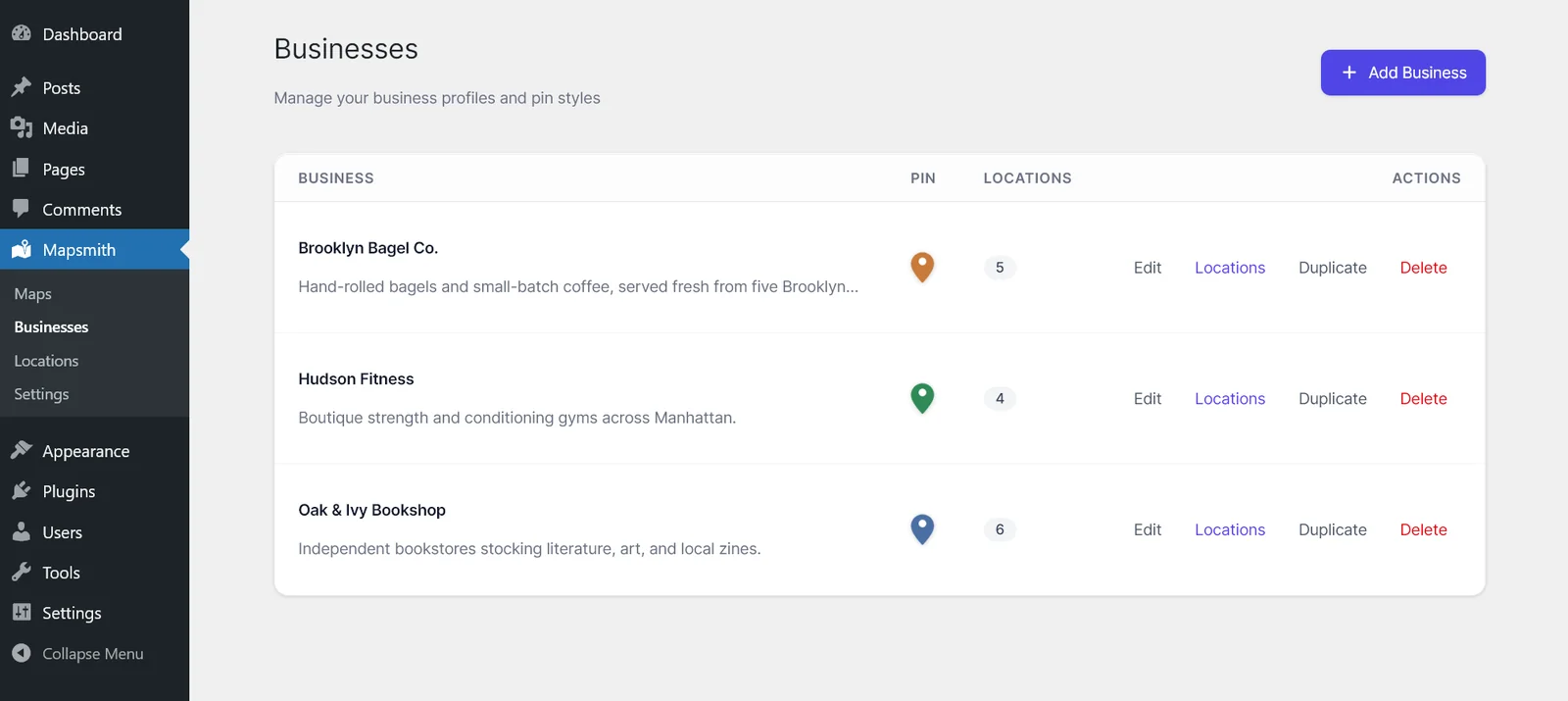
Organize locations under businesses in a clean WordPress admin screen. Name them, set hours, add contact info — all without touching a line of code.
Google Maps integration
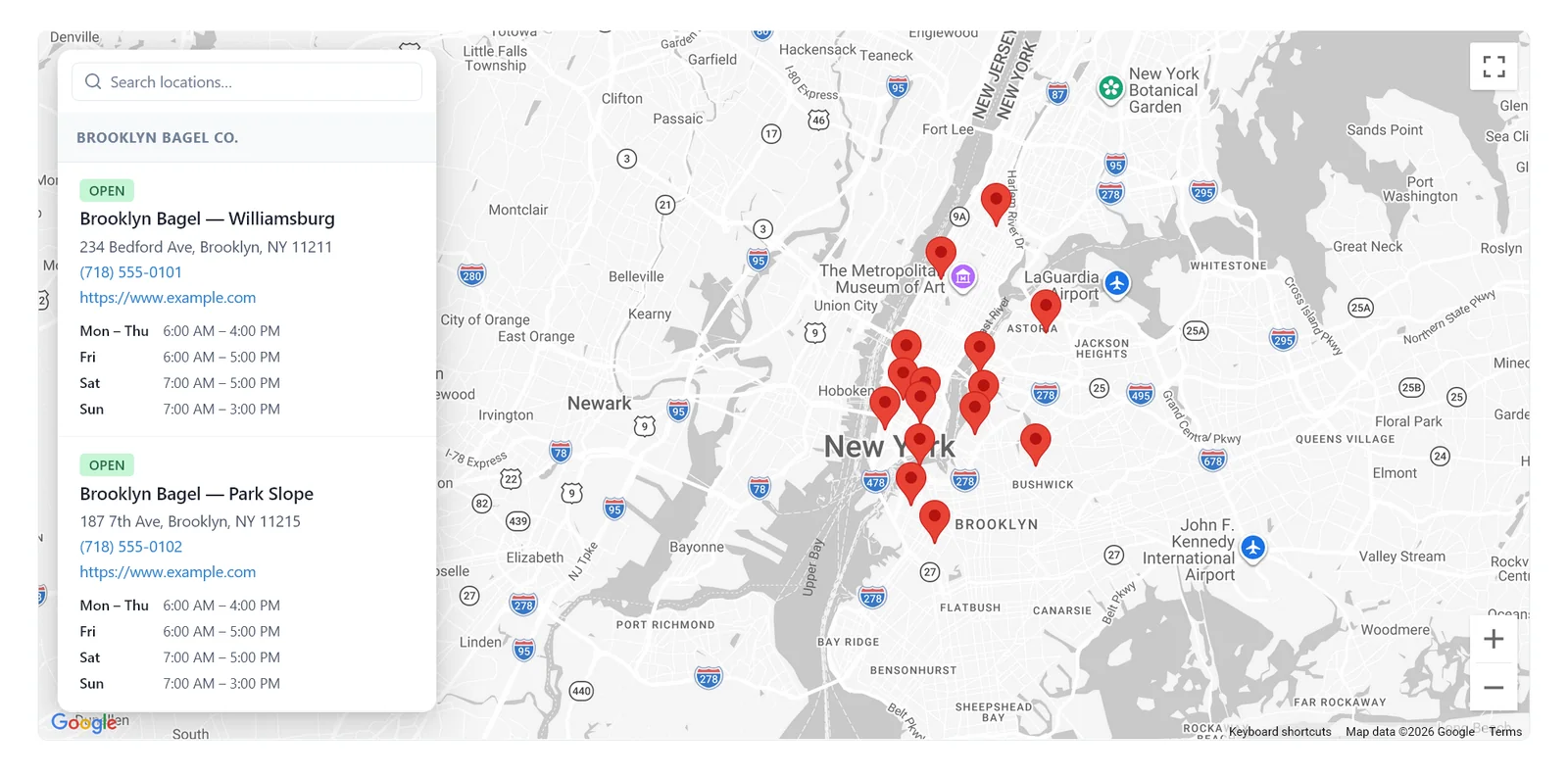
Beautiful, fast, embedded maps that work anywhere on your WordPress site. One shortcode, multiple maps per page, and all the Google Maps controls you expect.
Interactive sidebar
A built-in list view lets visitors scan locations alongside the map. Search by name, filter by location type, and tap straight through to directions.
Built for performance
No jQuery, no bloat — about 14KB gzipped on the front end. The Google Maps script loads async so it never blocks page render.
Works with any theme
Mapsmith inherits typography from your active theme. Front-end CSS is namespaced under .mapsmith-* so it does not collide with your theme styles.
Pixel-perfect brand control (Pro)
The Mapsmith Pro companion plugin adds custom map theme JSON, custom marker SVGs, custom popover layouts, and per-instance scoped CSS — full brand customization on top of the free plugin.
The full plugin, free.
Pro for advanced features & scale.
Mapsmith is free on WordPress.org with a complete store-locator feature set — no caps, no trials, no vendor branding. Pro is an annual subscription that unlocks the Mapsmith Pro companion plugin and includes priority support.
Founder pricing · 100 of 100 licenses left
The core Mapsmith plugin from WordPress.org. No caps, no branding, GPLv2.
- Unlimited businesses, locations & maps
- 4 built-in stock map themes
- Standard pin colors & sizing per business
- Default popover & sidebar with show/hide field toggles
- "Open now" hours with timezone awareness
- Geocoding & address autocomplete
- Multiple maps per page via shortcode
The Mapsmith Pro companion plugin with founder pricing locked in for life. First 100 customers only.
- Everything in Free
- Custom popover layouts & field schemas
- Custom marker icons & SVGs
- Custom map theme JSON (paste any Google style)
- Per-instance scoped CSS
- Marker clustering & category filter
- Bulk CSV import with server-side geocoding
- 1 production site (staging included) · 30-day refund
- Founder price locked in for life
Install the WordPress map plugin in 60 seconds.
Mapsmith lives on the WordPress plugin directory. No account required — just install the WordPress map plugin, paste in a Google Maps API key (the setup wizard walks you through it), and go.
- 1 Go to Plugins → Add New From your WordPress admin sidebar.
- 2 Search for "Mapsmith" Look for the yellow-and-blue pin icon.
- 3 Install & Activate You'll find Mapsmith in your sidebar — start adding locations.
Questions, answered.
Ready to put
every pin on the map?
Free to start. Pro is $39/year.