Every feature in the
Mapsmith WordPress map plugin.
Everything Mapsmith does — from the WordPress dashboard to the front-end Google Map. Designed to be obvious to non-developers and powerful enough for agency work.
A dashboard built for humans, not developers.
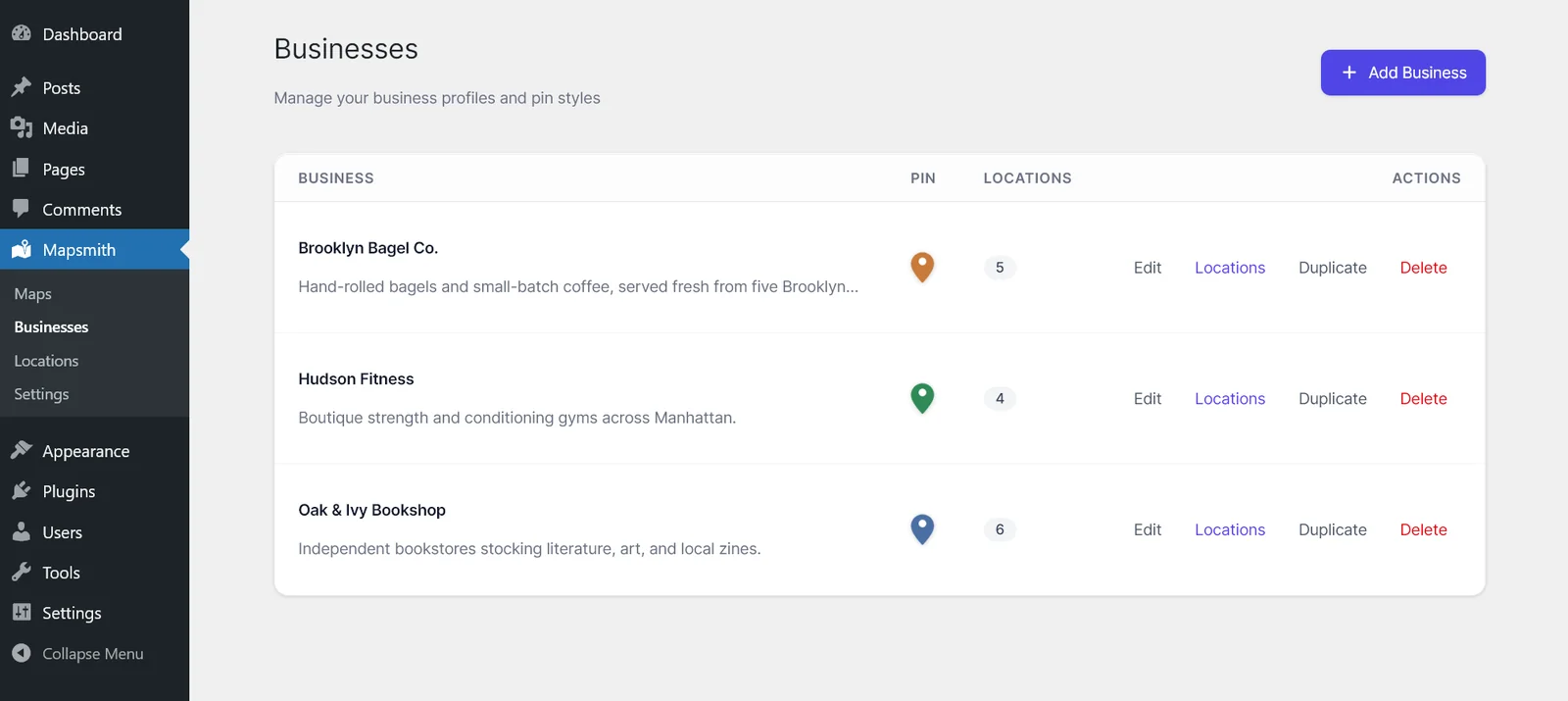
Organize locations under businesses in a clean WordPress admin screen. Name them, set hours, add contact info — and never touch a line of code.
- Unlimited businesses, locations & maps in the free plugin
- Drag-to-reorder sidebar list
- Hours, phone, website, address, photo — standard fields included free
Bring your locations in. Take them back out.
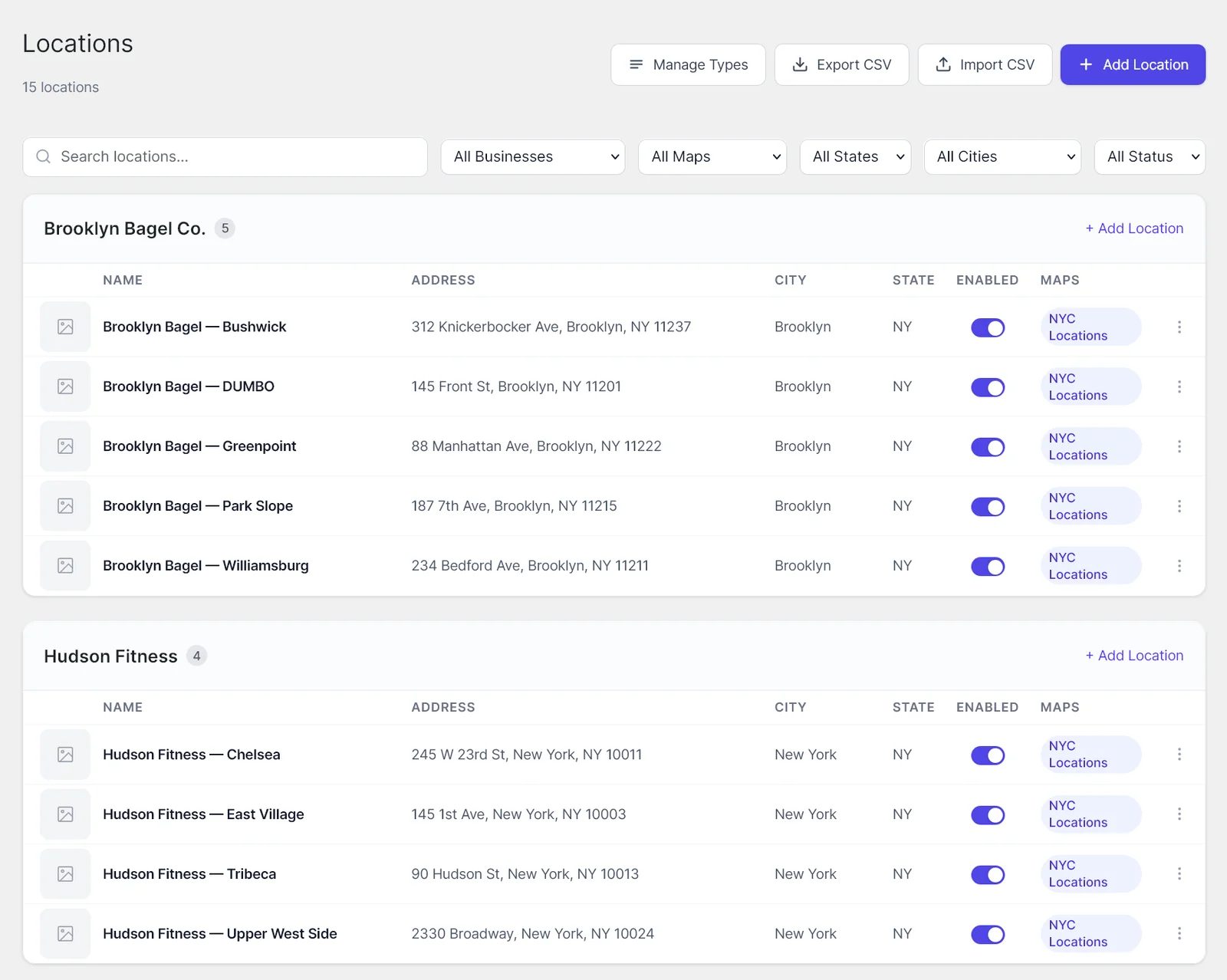
Onboarding a 200-location franchise from a spreadsheet shouldn't take a week. Mapsmith reads the same CSV format Excel, Google Sheets, and Numbers all save to — and gives you the same format back when you need to.
- One-click downloadable template with all the right columns
- Bulk-import hundreds of locations from any spreadsheet app
- Export your full dataset (or filter by business) as a CSV anytime
- Geocoding runs at import time — paste addresses, get pins
Beautiful, fast maps — anywhere on your site.
Embed maps with a simple shortcode that drops into any page, post, page-builder block, or theme template. Multiple maps per page, each fully independent.
- Shortcode embed — works in Gutenberg, Elementor, Divi, Beaver, Bricks
- Async Google Maps script — never blocks page render
- Mobile-first: sidebar stacks above map under 768px
Help visitors find the right pin, fast.
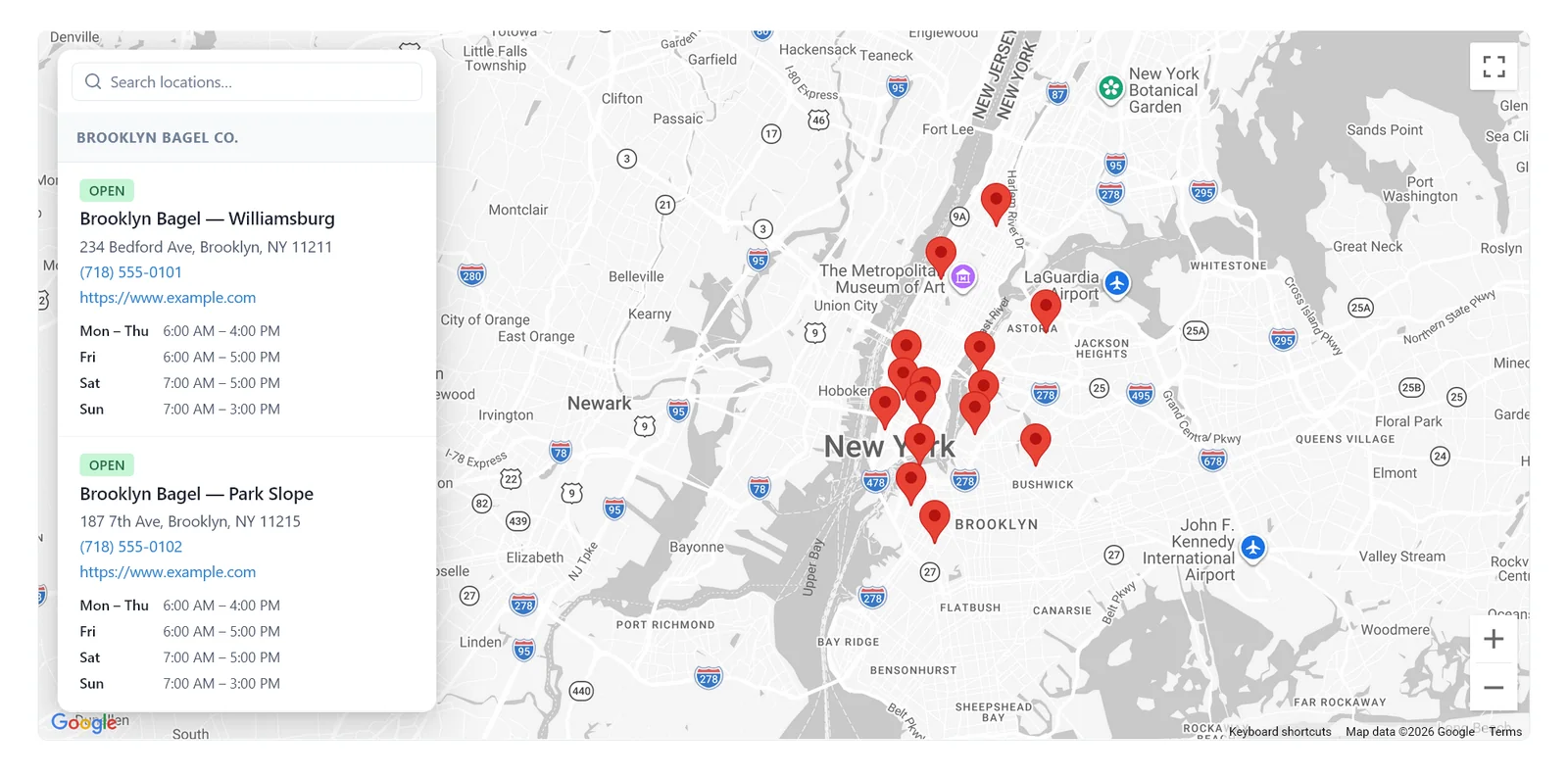
A search box and optional location-type filter let visitors narrow the list to what they care about — and the map updates as they type.
- Live name search across the whole list
- Optional location-type filter (configurable per map)
- The map auto-fits remaining pins as the list narrows
Make every map feel native to your brand.
The Mapsmith Pro companion plugin (sold separately at mapsmith.app) extends the free plugin with full brand customization: paste any Google Maps style JSON, swap markers for your own SVGs, redesign popovers around the fields you care about, and write per-instance CSS that can never leak to the rest of your site.
- Per-instance CSS namespacing — no global override surprises
- Paste any Google Maps style JSON
- Custom marker icons, SVGs, and per-pin scale
- Custom popover layouts & field schemas
/* This map only — no global side effects */
.mapsmith-instance-3 {
  --marker-fill: #E8453B;
  --marker-stroke: #0E1116;
  --card-radius: 14px;
  --sidebar-bg: #FBF6EC;
  --map-saturation: 1.1;
  --infowindow-shadow: 4px 4px 0 #000;
}

.mapsmith-instance-3 .ms-marker {
  filter: drop-shadow(0 4px 8px rgba(0,0,0,.2));
}Fast by default. Always.
Mapsmith is engineered to stay out of your way. No jQuery, a tiny front-end footprint, and an async render path that doesn't block anything else on your site.
- Around 14KB gzipped front-end JS
- Google Maps script loads async — never blocks render
- Geocoding runs once at save time, not on every page load
If you want to get under the hood, it's all there.
Render any map in a PHP template with do_shortcode(). Override any front-end style by targeting .mapsmith-container. All admin and front-end strings use WordPress i18n functions for clean translation.
[mapsmith id="locations"
   filter="open"
   height="500"]
<?php
mapsmith_render([
  'instance' => 3,
  'tags' => ['flagship']
]); ?>
GET /wp-json/mapsmith
        /v1/locations
?tag=flagship&open=1The details that make Mapsmith feel finished.
Drag-to-reorder
Sort the sidebar list by simply dragging locations into the order you want.
Hours & "open now"
Set opening times per day, per location. The sidebar shows what is open right now in each timezone.
Get directions
One-tap deep-link to Google Maps with the location address pre-filled.
Standard fields
Name, address, phone, website, hours, photo — included free. Custom key/value fields and custom popover layouts available in the Mapsmith Pro companion plugin.
CSV import & export
Bulk-import from any spreadsheet (Excel, Sheets, Numbers — all save to CSV). Export your data back out anytime. Templates included.
Translation-ready
Every string uses WordPress i18n functions, so it translates cleanly with WPML, Polylang, Loco Translate, or any standard translation plugin.
Duplicate anything
Duplicate a business with all its locations, or duplicate an entire map with its layout and styling — handy for variations.
Built-in geocoding
Type a street address. Mapsmith handles the lat/lng via the Google Geocoding API. No more manual coordinate-hunting.
Ready to put
every pin on the map?
Free to start. Pro is $39/year.